
Log In to PAK VIP Game
Signing in takes about thirty seconds when everything works. This page is mostly about the other times — the code that never arrives, the password that “isn’t wrong”, the sudden logout everyone assumes means they’ve been hacked.
Most of those have simple causes that have nothing to do with the app.
What You Need to Hand
- Your registered numberThis is your username — no separate ID to remember
- The password you setCapital letters count, so type it carefully
- Signal on that SIMThe code goes to the number you registered, not the phone
- A bit of chargeAn app closing mid-login is a needless annoyance
- The official app or siteFake login pages exist for apps like this — more on that below
How to Sign In
On the app
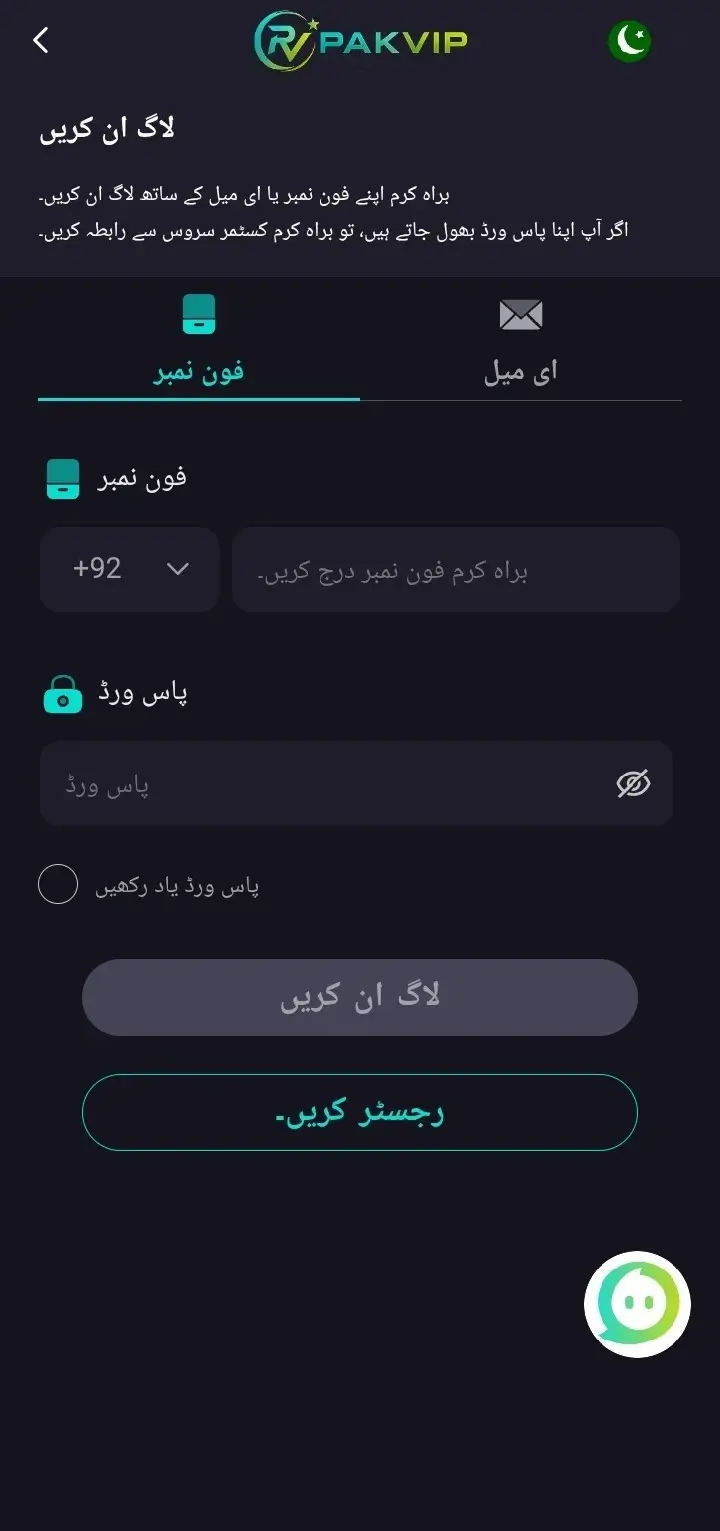
- Open the app. If you’ve registered before, it lands on the login screen.
- Tap Login.
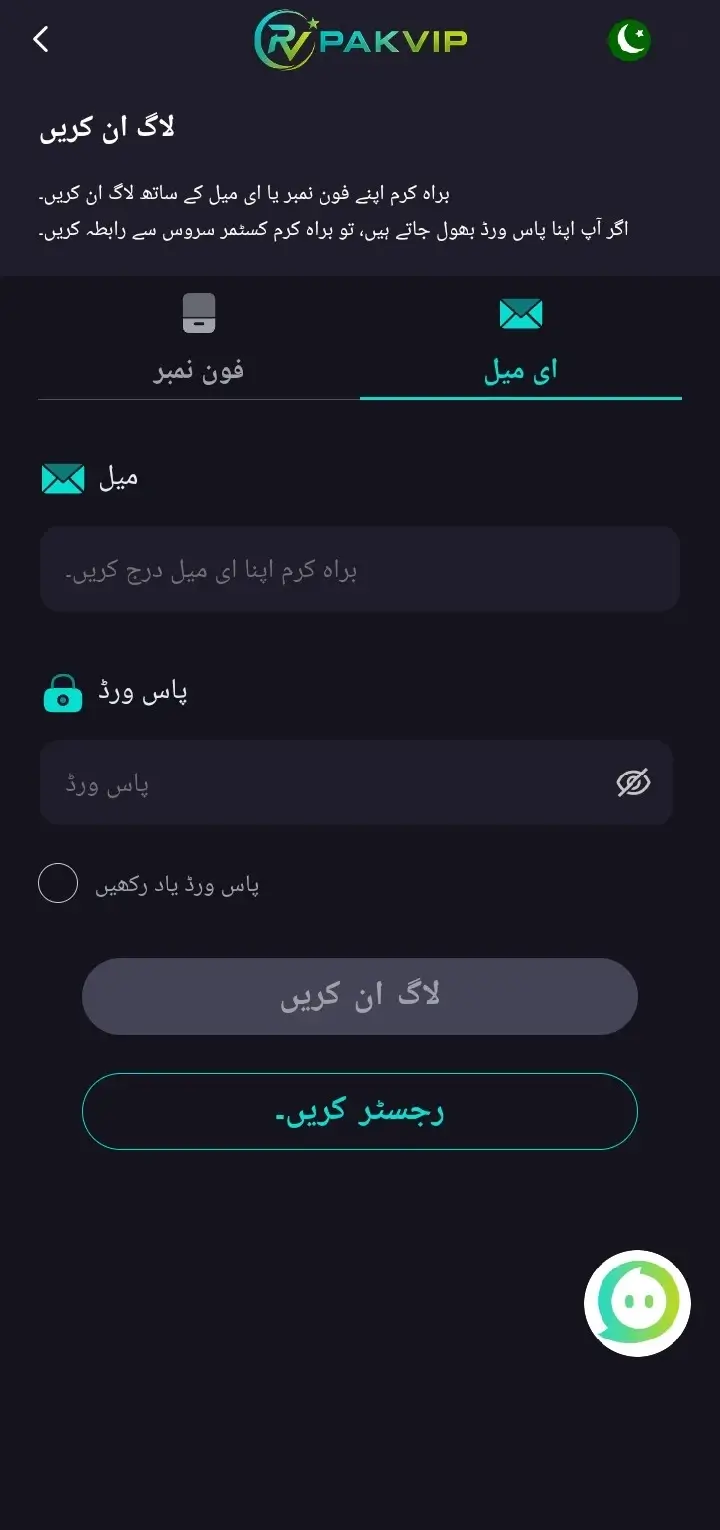
- Enter your number — the same one you registered with, no spaces, no dashes.
- Type your password. Check caps lock first — this catches more people than anything else.
- Press Login.
- If it asks for a code, it’ll text you six digits. Type them in fairly quickly — the code stops working after a few minutes.
- You’re in. Your balance shows at the top of the home screen.
On the website
Same details, same account. Open the official site in your browser, tap Login, and sign in exactly as above. What you do on one shows up on the other — it’s one account, not two.
Logging In on iPhone, Laptop or a Second Phone
Your account isn’t tied to one device.
- iPhone or iPad — open the official site in Safari. There’s no iOS app, but everything works in the browser.
- Laptop or PC — same thing, any browser.
- A second phone — just log in normally.
Getting Back In When You’ve Forgotten the Password
Happens to everyone. The way back:
Resetting your password
- Tap “Forgot Password” under the login boxes.
- Type your registered number.
- Wait for the code and enter it. Nothing arriving?
- Set a new password, then type it again to confirm.
- Log in with the new one.
When the Code Doesn’t Arrive
This is the number one login complaint in Pakistan, and it’s almost never the app’s fault. Work through these.
Check the SIM you registered with has signal. Not the phone — that specific SIM.
This is the mistake nobody warns you about. Tapping resend over and over can get your account temporarily locked — and then it looks like the login itself is broken when it isn’t. Wait the full timer out before asking again.
Here’s one that catches a lot of people. If your data is on SIM 2 but you registered with SIM 1, the code lands somewhere you’re not looking.
Decide which SIM handles your banking and gaming codes, and keep it that way. Mixing them up causes exactly this problem.
Some phones — especially certain Xiaomi, Realme and Infinix skins — file OTP messages into a promotions or spam folder automatically. The code arrived. You just aren’t seeing it.
Look in that folder, and mark the sender as important so it stops happening.
Switch from Wi-Fi to mobile data, or the reverse. If your operator supports Wi-Fi calling, turning it on sometimes helps when the local cell tower is congested.
SMS gets slow when networks are busy — Eid weekends, big cricket matches, a storm knocking out towers, a rally in the city. The code isn’t lost. It’s queued.
Phones quietly stop accepting new messages when the SMS storage fills up. Delete a few hundred old ones and try again.
What the Error Message Actually Means
🔑 “Wrong password”
📵 “Number not registered”
⏱️ “OTP expired”
🔒 “Account locked”
🔄 The app freezes on the login screen
🚪 You keep getting logged out
How to Spot a Fake Login Page
Copycat pages for apps like this are common in Pakistan, and they exist for one reason: to collect your number and password.
Fakes use names that look almost right — an extra letter, a different ending, a dash where there shouldn’t be one. Read it fully before typing anything.
A forwarded message, a Telegram group, a comment under a video. Type the official address yourself instead.
“Your account will be closed”, “bonus expires in 5 minutes”, “verify now or lose your balance”. Urgency is the tool. Real platforms don’t work like that.
A login needs your number and password. If a page also wants your CNIC number, your wallet PIN, or your OTP — close it.
Bouncing through two or three pages before a login form is a bad sign.
If Someone Gets Into Your Account
Act in this order. Speed matters here.
Change your password immediately
From the app if you can still get in.
Log out other sessions
If the app has that option in settings.
Check your withdrawal details
See whether the linked wallet number has been changed to someone else’s. This is usually the first thing an attacker does.
Message support through the official app
Not through any link. Give them your registered number and what you noticed.
Tell your wallet provider
If money moved — JazzCash or Easypaisa may be able to act on their side.
Change the password on your email too
If you used the same one anywhere. That’s how it spreads.
How accounts usually get taken
- Someone talked you into giving an OTP — posing as support, or claiming a bonus needs “verifying”.
- You logged in on a copycat page.
- You installed a modified APK. Mods and “hacked” versions are a leading source of credential theft.
- Your number was moved to a new SIM by someone else — rare, but it does happen, and it hands over every OTP.
Making Your Login Harder to Break
Five minutes, once:
If it’s the same as your email or Facebook, one leak opens everything.
A stolen password alone then isn’t enough.
Different from your login one. It means someone getting into your account still can’t move the money out.
It’s your login, your OTP route and your way back in. A number you let lapse can be reissued to a stranger — and then it’s their account.
An unfamiliar login or transaction is worth acting on immediately.
Losing Your Phone, SIM or Number
Easiest case. Log in from any other device — your account lives on their server, not your handset. Then change your password in case the phone is unlocked.
Get a replacement SIM with the same number from your operator. Once it’s active, OTPs work again.
This is the hard one. Contact support before the old number stops working, while you can still verify with it. Once it’s gone, proving you’re the owner is much harder — and there’s no regulator to appeal to if it doesn’t work out.
How to Get Help Without Getting Scammed
Support can solve most login problems. Two rules keep the conversation safe:
Your registered number, what you were doing, what the screen said, and any transaction or withdrawal ID if money is involved.
Your password, your OTP, or a screen-share while you log in. Support doesn’t need any of it. Anyone who asks isn’t support — and that’s true even if their display picture has the company logo on it.
Worth Knowing
- Online real-money gaming sits in a grey area in Pakistan. No local authority licenses platforms like this.
- The Prevention of Gambling Ordinance 1977 and PTA advisories caution against unregulated platforms.
- If you lose access permanently, support is the only place to go. There’s no regulator above them.
A Word Before You Log In
Login Questions
What do I need to log in?
Why does it ask for an OTP some times and not others?
My OTP hasn’t come — what now?
I’ve got two SIMs — does that matter?
Why do I keep getting logged out?
It says wrong password but I’m sure it’s right.
My account is locked — how long?
Can I log in on more than one device?
Can I log in on iPhone or a laptop?
Is “Remember Me” safe?
Someone got into my account — what do I do first?
Will support ever ask for my OTP?
🔑 Ready to Sign In?
Use the app or type the official address yourself. Never log in from a forwarded link.